
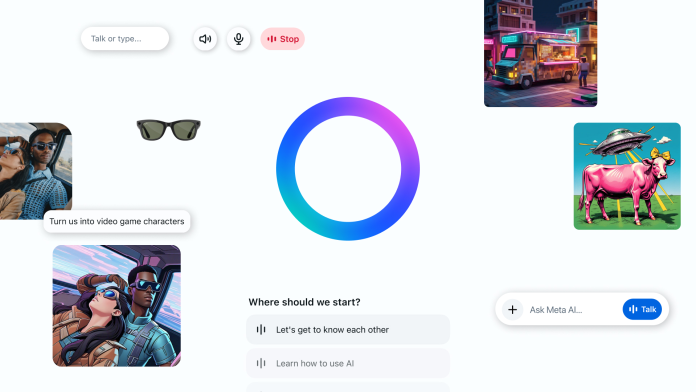


Meta has officially taken a major step toward redefining digital assistance by introducing the Meta AI app — a standalone voice-first experience powered by its most advanced language model, Llama 4. Designed to integrate personalization, multitasking, and natural conversation, the app is available now for users in the U.S., Canada, Australia, and New Zealand, with a focus on ease, adaptability, and seamless connectivity across devices.
Let’s dive into everything you need to know about this new frontier in AI interaction.
Why Meta Is Introducing the Meta AI App
By introducing the Meta AI app, Meta is expanding its vision of accessible artificial intelligence. With AI already embedded across WhatsApp, Messenger, Facebook, Instagram, and the Ray-Ban Meta smart glasses, the new app is a centralized experience to interact directly with your AI assistant — on mobile, desktop, or via wearable devices.
Unlike traditional assistants, Meta AI adapts to your preferences, remembers details, and provides smarter, context-driven answers based on your interactions across Meta platforms.
Built on Llama 4: Smarter, More Personalized AI
The app is powered by Llama 4, Meta’s latest large language model. This upgrade brings:
- Improved contextual memory
- More natural and engaging voice conversations
- Deeper personalization using insights from Facebook, Instagram, and more
Whether you’re asking for recommendations, generating images, or editing content, Meta AI now delivers more relevant responses, tailored to your preferences and style.
Voice Conversations: A Major Leap with Duplex Speech
One of the standout features Meta introduces is full-duplex voice technology. This lets users hold fluid, back-and-forth conversations — a significant upgrade from past assistants that simply read pre-written responses.
With voice demos available in supported countries, users can:
- Speak freely with near real-time feedback
- Enable or disable voice mode in settings
- Multitask on their phones while chatting with AI
- Stay in control with a visual indicator when the mic is active
While the app doesn’t yet access live internet data, it provides advanced capabilities within its existing dataset and models.
Discover Feed: Explore How Others Use Meta AI
The Meta AI app comes with a Discover feed — a social hub to see, share, and remix AI prompts and ideas. Users can:
- Browse popular prompt examples
- Remix shared creations for personal use
- Post their own prompt discoveries to the feed
- Stay in control with privacy-first sharing settings
This feature turns AI interaction into a community-powered experience, encouraging learning and creativity.
Integration with Ray-Ban Meta Glasses
By introducing the Meta AI app, Meta is also unifying the AI experience for Ray-Ban Meta glasses users. This includes:
- Syncing your glasses to the Meta AI app (replacing the older Meta View app)
- Transferring all settings, paired devices, and media automatically
- Letting you start a conversation on your glasses and continue in the app
- Maintaining chat history across web and mobile apps
This cross-device continuity makes Meta AI a truly portable companion, following you wherever you go.
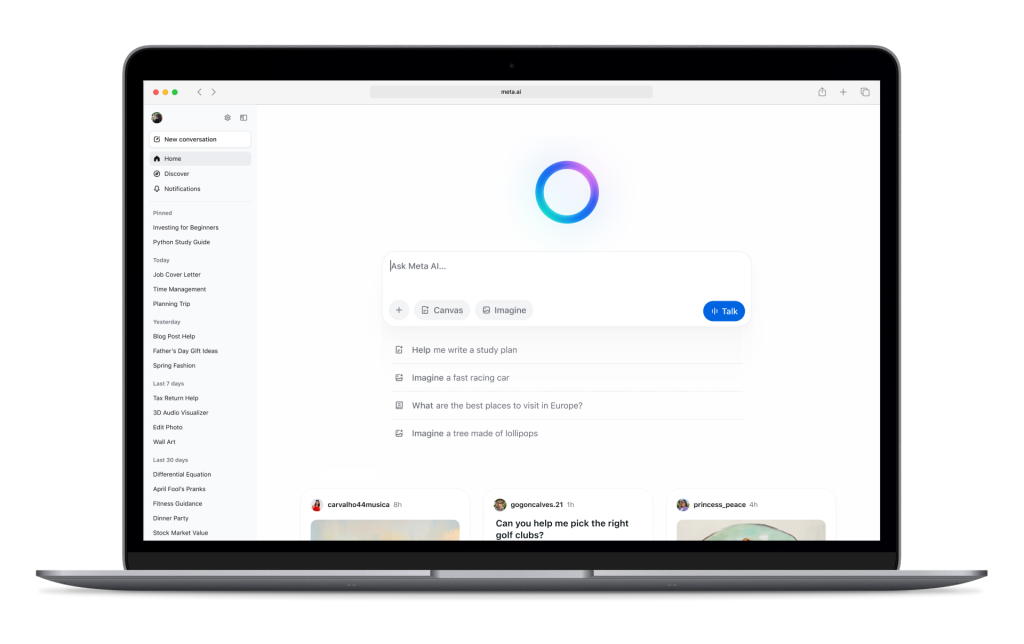
Meta AI on the Web: A Smoother Desktop Experience
The Meta AI web interface has also been redesigned to match the app’s new look and capabilities. Users now get:
- Voice functionality on desktop
- Access to the Discover feed
- Better image generation tools, with enhanced mood, style, and lighting options
- A new rich document editor (in select countries)
- Ability to import files for AI-based analysis
These upgrades allow users to use Meta AI as a creative and productivity tool, not just a chatbot.
Personalization That Remembers You
When introducing the Meta AI app, Meta emphasized personalization. The app can:
- Remember facts you tell it, like your favorite hobbies or goals
- Analyze your content preferences from Facebook and Instagram (with your consent)
- Offer context-based answers tailored to you
- Sync settings across platforms using the Meta Accounts Center
Whether you’re a traveler, a content creator, or just curious, your Meta AI adapts and evolves with you.
Control and Transparency: Your Experience, Your Way
Meta prioritizes user control and transparency in this release. Features include:
- Easy toggles for voice-on or voice-off preferences
- Microphone activity indicators
- Private by default — content is only shared when you choose to
- Help Center resources to manage settings, permissions, and usage history
This ensures that while the AI is personal, your privacy is respected at every step.
Final Thoughts on Introducing the Meta AI App
By introducing the Meta AI app, Meta isn’t just launching another assistant — it’s unveiling a smarter, more social, and seamlessly integrated AI designed for everyday use. Whether you’re editing images, chatting hands-free, or pulling inspiration from the Discover feed, this app puts personalized intelligence in your pocket.
As Meta continues to refine this first version, user feedback will help shape the AI experience of the future — one that’s conversational, contextual, and uniquely yours.